How to Delete Your Skillpop Account
Step-by-step guide to permanently remove your Skillpop account and associated data.
Steps to Delete Your Account
Important: This action is permanent and cannot be undone. Deleting will remove your profile, enrolled courses, reviews, and personal data.
- Sign in — Sign in to your Skillpop account through the mobile app.
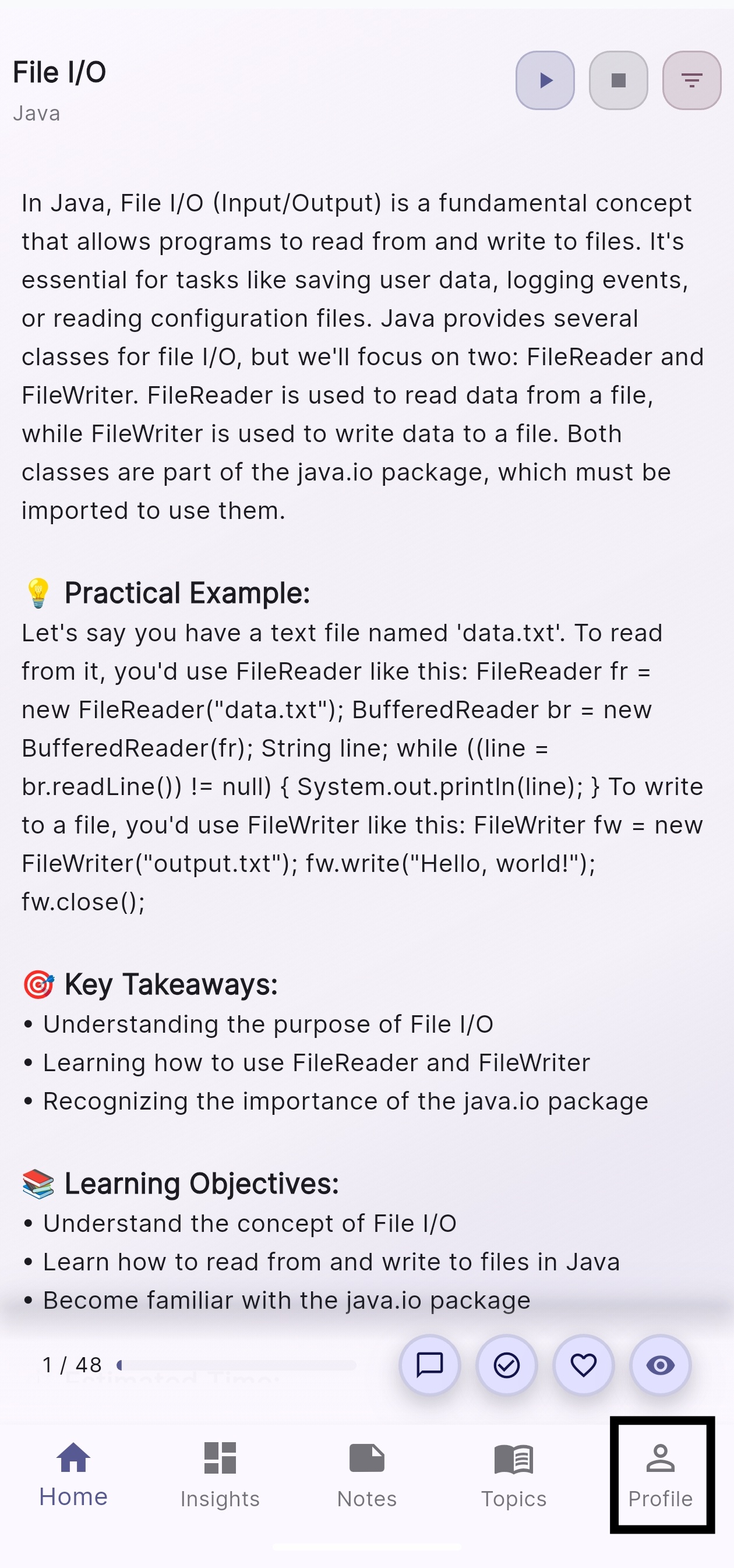
- Open Profile — Tap the Profile icon located at the bottom-right corner of the screen.
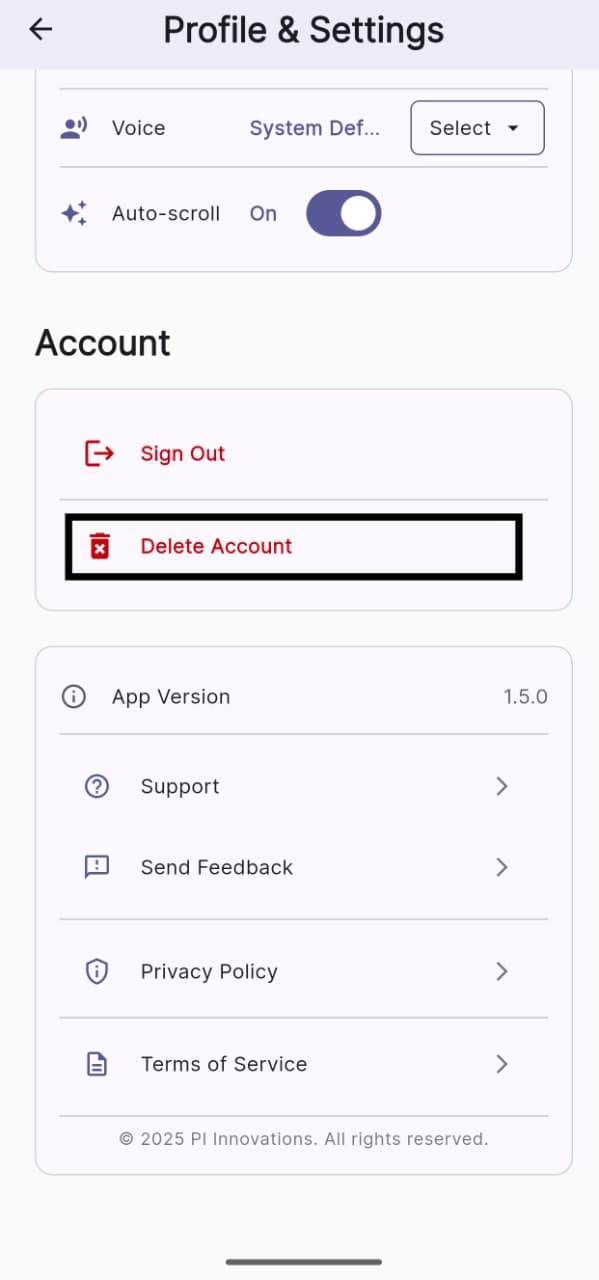
- Delete Account — Scroll down and select Delete Account.
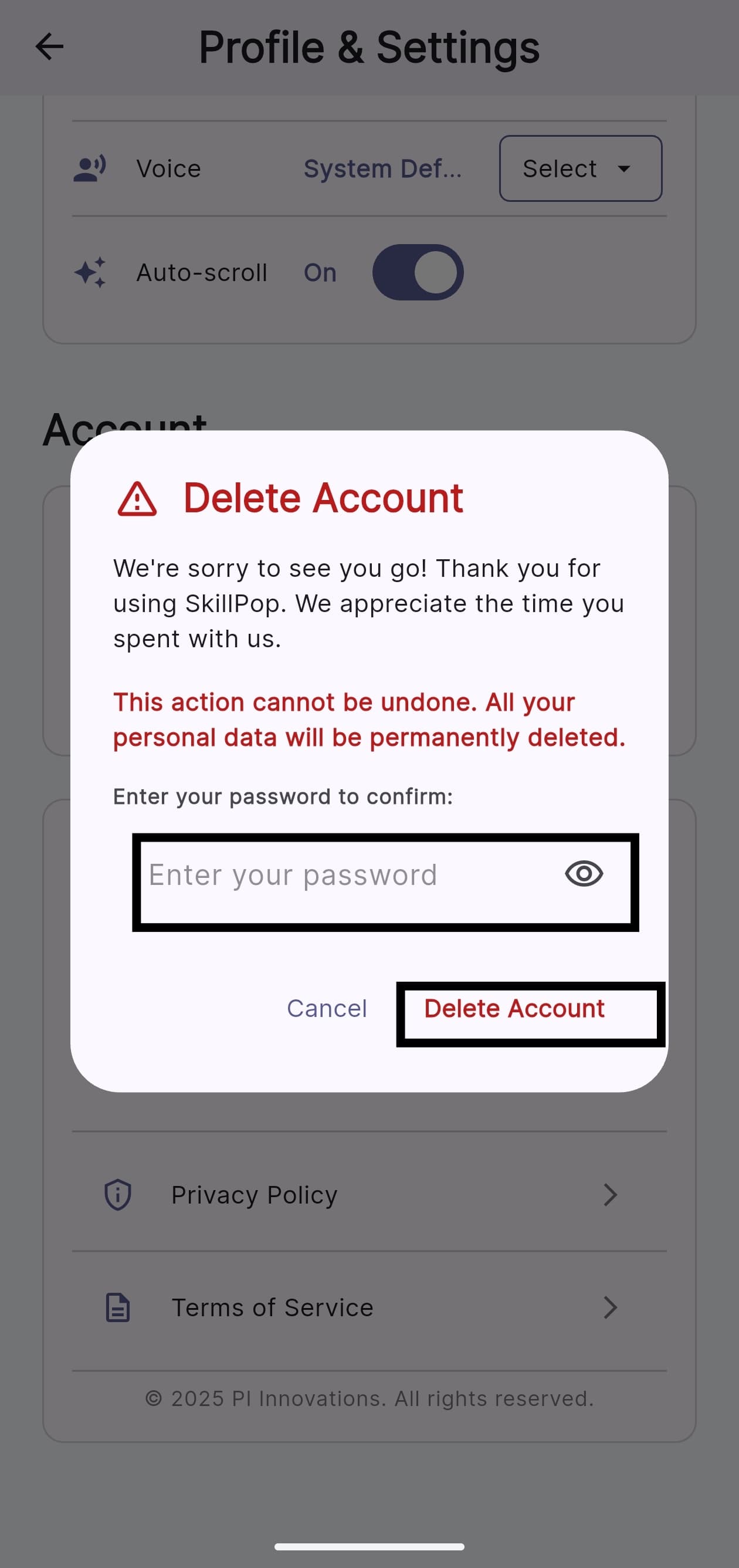
- Review Confirmation — Review the confirmation message to understand what will be removed (your profile, enrolled courses, reviews, and personal data).
- Confirm — When prompted, enter your password and tap Delete Account to confirm.
- Confirmation Email — You will receive a confirmation email once the deletion is completed.
If you don't receive the confirmation email within 24 hours, check your spam folder or contact Skillpop support.